What is the Google Lighthouse report?
The Google Lighthouse report runs technical audits of URLs to help improve your site holistically across 5 categories: web accessibility, best practices, web performance, search engine optimization, and progressive web applications. Users can audit their URLs for some or all of the 5 aforementioned categories. Altogether, it gives you a great overview of the quality and performance of your site on desktop, mobile, and web applications.
Why is the Google Lighthouse report important for SEO?
The latest version of the Google Lighthouse report includes the measurement of Core Web Vitals (CWV) since page experience became a ranking factor in June 2021.
How does this report work?
- In a chrome browser, enter your specified URL, right click on the page, and then click inspect.
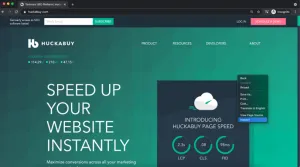
- A section in the right hand rail of the page wll open. Click the carrot, then click “Lighthouse,” and finally click “Generate Report.”
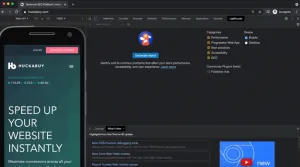
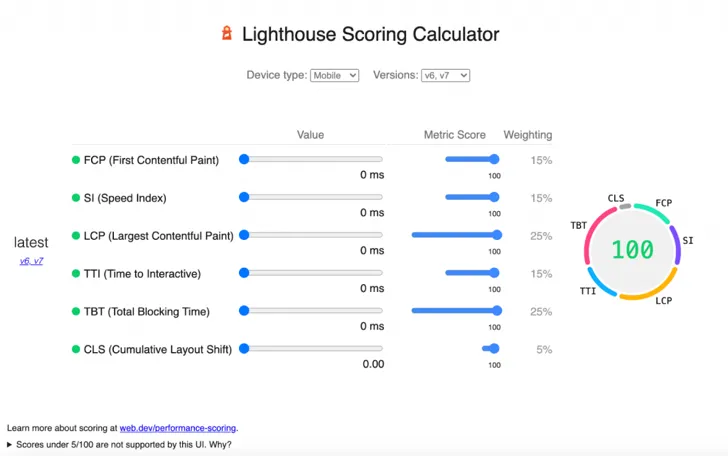
- Under the “Performance” section, you can view each of your Core Web Vitals scores. You can also see how each is calculated and how each metric is weighted in their performance calculation. You can also play with the calculator to see the impact when you increase or decrease the score of each metric.
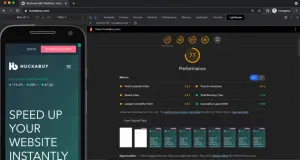
Lighthouse Performance Score Weighted Averages:
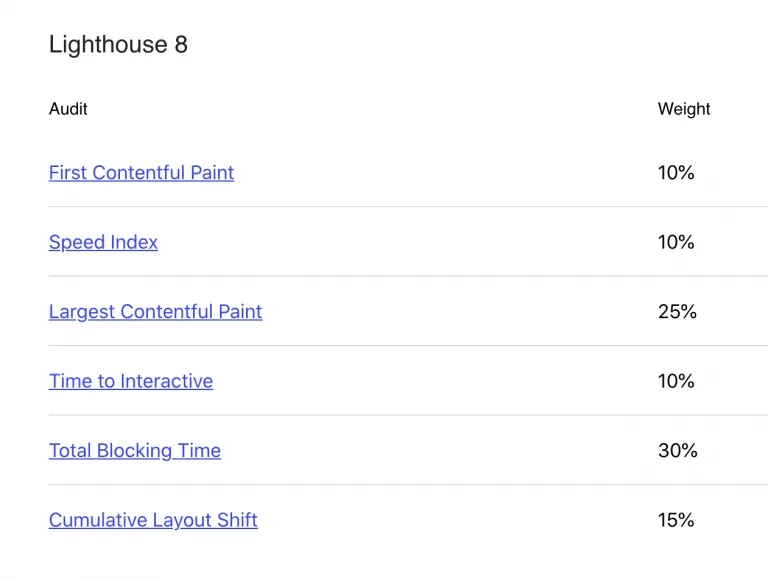
Lighthouse Calculator:
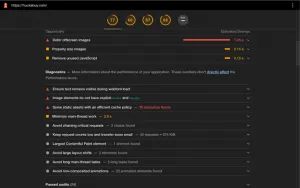
- Scroll further down the page to view opportunities, diagnostics, and passed audits. Here, you will find out what you are already doing well, the causes of any performance issues, as well as recommendations to improve any of these issues.
- Steps #3-#5 can be repeated for each of the other categories: accessibility, best practices, SEO, and progressive web apps.
How does this report help you track Core Web Vitals?
This report is responsible for the lab data populated in the Google Pagespeed Insights tool. It is a good alternative to the Pagespeed Insights tool if you want to look at Core Web Vitals data in isolation. Likewise, it can be faster to access straight from the URL with the “inspect” option — as opposed to switching over to Google’s tool and manually inputting the URL.
How Has Google Lighthouse Changed to Reflect the Rollout of Core Web Vitals?
Google launched the new Lighthouse v8.0 in June 2021, in part, to go along with their Page Experience algorithm changes. As with any update to Lighthouse, the changes made are meant to accurately measure the quality of user experience. Google has identified the Core Web Vitals as the most important indicators of a quality user experience from a performance perspective, so it makes sense that they would adjust Lighthouse to prioritize these metrics.
The performance score has been re-weighted — giving more weight to Cumulative Layout Shift (CLS) and Total Blocking Time (TBT) than before. CLS is a CWVs metric and TBT is a proxy metric for another CWVs metric, First Input Delay (FID). Now, sites that score well on CWVs should see an improvement in their Lighthouse Performance Score. The changes made to Google Lighthouse are estimated to negatively affect the performance scores of 20% of websites by about 5 points and 60% of sites should see moderate to significant score improvements.
And that’s it! If you have any further questions about how to use this tool, don’t hesitate to contact our team by emailing support@huckabuy.com.