WANT TO GROW YOUR ORGANIC SEARCH CHANNEL? SCHEDULE YOUR DEMO NOW.

Logo Rich Results

Specify the image Google Search uses for your organization’s logo in Search results and in the Knowledge Graph. Google Search uses the markup in the use case example to recognize the image to use as the organization’s logo. This ensures that, when possible, the image appears in search results about the company. Markup like this is a strong signal to Google Search algorithms to show this image in Knowledge Graph displays.

Video Title: How to Get Logo Rich Results

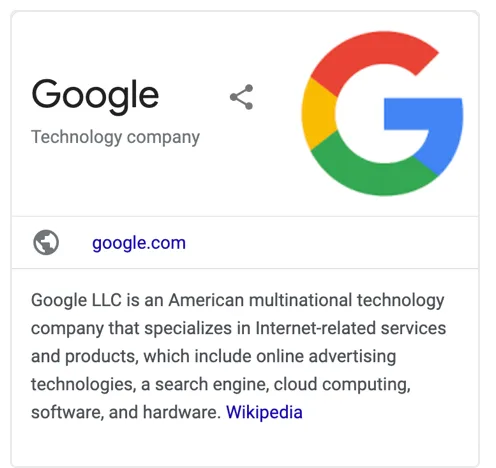
Logo Rich Results Example:

screenshot-www.google.com-2020.06.12-01_57_35.png

What Your Site Needs:

Logo – URL of a logo that is representative of the organization

Additional image guidelines:

The image must be 112x112px, at minimum.

The image URL must be crawlable and indexable.

The image must be in .jpg, .png, .gif, or .svg format.

URL – The URL of the website associated with the logo

Frequently Asked Questions
  • Helpful The purpose of Logo Rich Results is to specify the image Google Search uses for your organization’s logo in Search results and in the Knowledge Graph. This ensures that, when possible, the image appears in search results about the company.

  • Helpful Google Search uses the markup in the use case example to recognize the image to use as the organization’s logo. Markup like this is a strong signal to Google Search algorithms to show this image in Knowledge Graph displays.

  • Helpful The logo image must be 112x112px, at minimum. It must be in .jpg, .png, .gif, or .svg format. The image URL must be crawlable and indexable.

  • Helpful The URL is the website associated with the logo. It helps Google Search to link the logo with the correct organization and display it in the search results and Knowledge Graph.

  • Helpful If the image URL is not crawlable and indexable, Google Search may not be able to recognize and display the logo in the search results and Knowledge Graph. This could affect the visibility of your organization in Google Search.

  • Helpful No, the image must be in .jpg, .png, .gif, or .svg format. These are the formats that Google Search can recognize and display in the search results and Knowledge Graph.

  • Helpful The minimum size for the logo image is 112x112px. This ensures that the logo is clear and visible in the search results and Knowledge Graph.

  • Helpful The Knowledge Graph is a knowledge base used by Google to enhance its search engine's results with information gathered from a variety of sources. It provides structured and detailed information about the topic of search.

  • Helpful Logo Rich Results can significantly enhance your organization's visibility in Google Search. By specifying the logo image, you can ensure that it appears in the search results and Knowledge Graph, making it easier for users to recognize and engage with your organization.

  • Helpful The use case example refers to the specific way in which the logo and URL are marked up in the website's code. This markup is what Google Search uses to recognize and display the logo in the search results and Knowledge Graph.